













STOP OVERPAYING FOR YOUR NEW CAR
Dealerships are not required to disclose rebates, incentives, or subsidized interest, and most Canadians end up paying thousands more than they should.
GET YOUR FREE MARKET VALUE REPORT

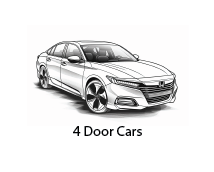
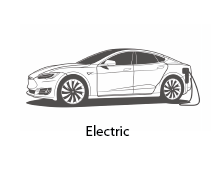
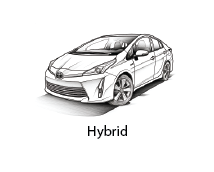

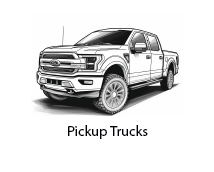






































Get your next vehicle at the lowest price.
One-stop resource for all car shoppers.
-
One-Stop for All OEM Brands: Shop All Makes & Models
Easy access to Prices, Costs, Specs, Features, Rates & Fair Market Values on ALL types of new and used vehicles, ALL in one place.
-
Car Price Insight: Market Value Report
A CarCostCanada Market Value Report is essential for all new and used car buyers in Canada. You get detailed reports about new and used cars, including list price, new car dealer cost, market value data, explanations about hidden rebates, recommended pricing advice, finance & lease rates, factory options, standard equipment, detailed worksheets and more!
-
Price Confidence: Guidance and Insider Intelligence
The CarCostCanada Market Value Report provides practical discount details and savings guidance PLUS fair market value and pricing information. Use these insights to inform your decisions and get the best value for your money. Additionally, CarCostCanada members enjoy valuable insider intelligence about buying, leasing, and financing, including helpful advice about the nuances of negotiation, tips about sticker price and extra dealer fees.
-
Uncover Hidden Discounts: Revealing Factory Rebates
CarCostCanada Market Value Reports often include vital unadvertised and unpublished factory rebates and hidden discounts that new vehicle buyers must know to avoid overpaying. Sometimes, new car dealers don’t disclose these money offers. CarCostCanada members are always fully informed.
-
Dealer Referrals: Finding the Right Dealership
CarCostCanada members are referred to a local Recommended Dealer when available. Suppose we don’t have a Recommended Dealer nearby. Members can contact us or use one of our optional Buying Services. Our in-house experts are ready to assist you with everything from vehicle selection, shopping, and the entire buying/leasing process.
-
Maximize Trade-in Value: Accurate Trade-in Valuations
CarCostCanada members often have a trade-in or lease return. To ensure that you have the best trade-in and lease return info, all CarCostCanada members receive access to a real-time used vehicle valuation tool that supplies. You can also look at the CarCostCanada Market Value Reports for your model and year to see your vehicle's current market value.